Automations

Every detection can do something.

Tell QVision what to watch for, where and when, and what should happen next. Rules read like sentences, run on their own, and record every step they take.

After-hours intrusion at the dock

Active

When a person enters the Loading Dock between 20:00 and 06:00, sound the siren, raise an emergency incident and text the night shift.

When
Person intrusion
Where
Loading Dock
Only if
Every day, 20:00 to 06:00
Then
  1. Sound the siren for 10 s
  2. Emergency incident
  3. Text the night shift
Run historySucceeded
Today · 02:14
  1. Siren pulsed for 10 sWarehouse relay box · channel 0
  2. Emergency incident #2789 raisedSent live to the Loading Dock team
  3. Night shift textedSecurity SMS gateway
Responses

What a rule can do.

Each action reports back whether it worked, so a rule always knows what happened.

  • Sirens and beacons

    Sound a siren or flash a beacon in the zone, for as long as you choose.

  • Barriers and gates

    Open a barrier for a vehicle, or keep a gate shut.

  • Line stops

    Pause a conveyor or a machine the moment a defect or a person is seen.

  • Incidents

    Open an incident with the snapshot, the clip and a priority, sent live to the zone's team.

  • Text messages

    Text the people on duty through the SMS gateway on your site.

  • Email

    Email the HSE manager, the security lead or a shared inbox.

  • Webhooks

    Send the event to your ERP, MES, building management or ticketing system.

Sirens, beacons, barriers and line stops are driven through the relays on your site: a pulse, on, or off.

Simple builder

A rule in four steps.

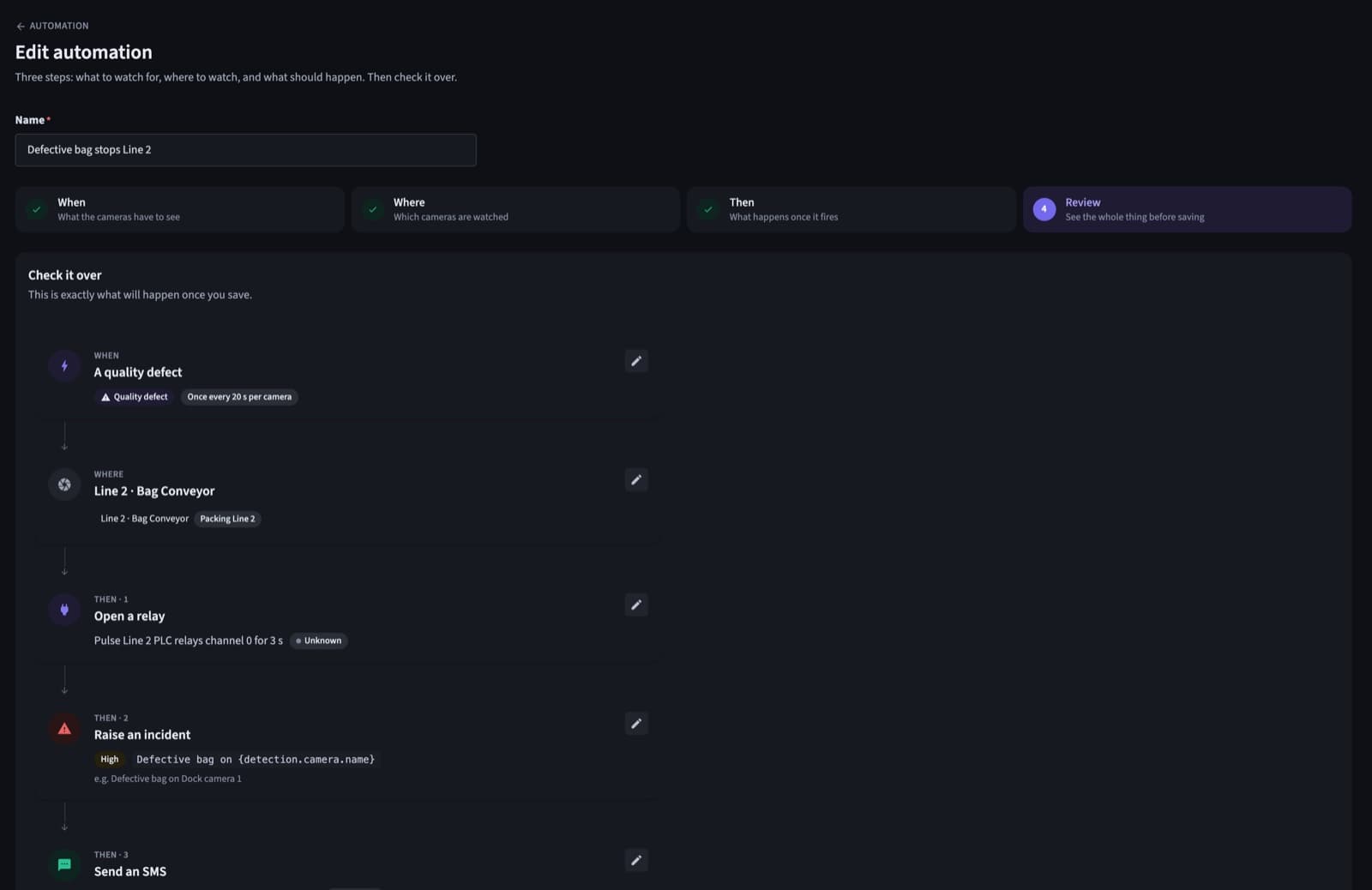
The builder asks three questions, then writes the whole rule out as one sentence so anyone can check it.

  1. 1WhenWhat the cameras have to see: an intrusion, a missing helmet, a defect, a plate.
  2. 2WhereAll cameras, one zone, or the cameras you pick.
  3. 3ThenThe actions, in order: which relay, which team, which priority.
  4. 4ReviewThe whole rule as a sentence, before you save it.
The review step of the QVision rule builder
Conditions

Only when it matters.

Keep rules quiet until they should speak.

  • Hours and days

    Run a rule only after hours, on weekends, or overnight.

  • Specific values

    Match a plate, a camera, a zone or a confidence level.

  • Wait between runs

    Give each camera a quiet period, so one event doesn't send twenty texts.

  • Repeat and wait

    Sound the siren again if the person is still there.

Reliability

If something fails, the rule knows.

Every action has two ways out: it worked, or it didn't. If a text can't be delivered, the rule can email instead. If a relay doesn't answer, it can raise the incident's priority.

  1. Text the night shift
  2. Not delivered
  3. Email the security lead
  4. Delivered

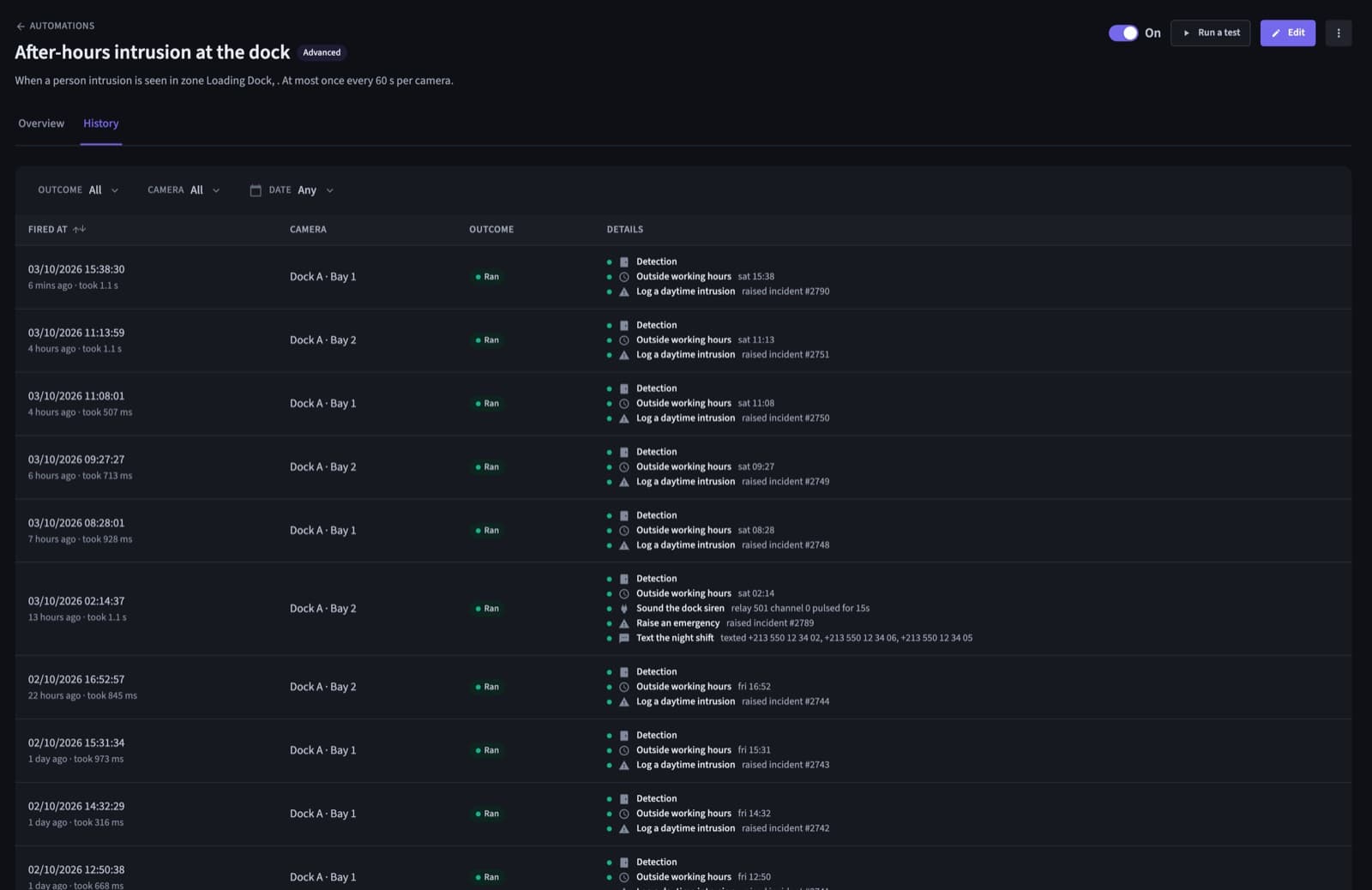
Every run, step by step.

Every run, step by step.

See exactly what happened each time a rule ran: which relay pulsed, which incident opened, who was texted, and anything that failed.

The run history of a QVision rule

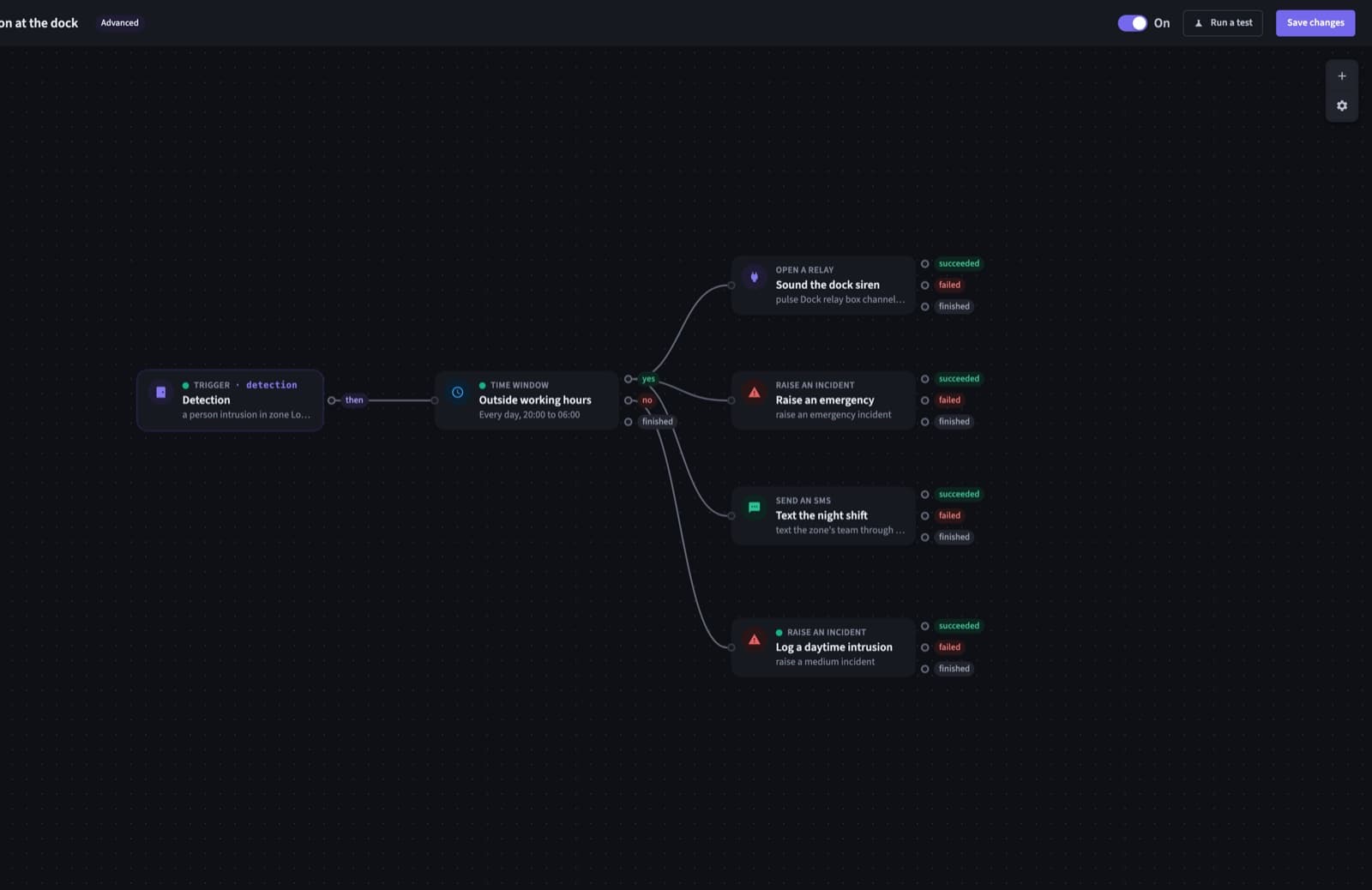
A visual editor for the complex ones.

Branch, wait, repeat and fall back on a canvas. The simple builder and the visual editor run on the same engine, so you can start simple and grow.

The QVision visual rule editor
Recipes

Start from a recipe.

  • Open the gate for a plate
  • Sound the siren on an intrusion
  • Open an incident for PPE violations
  • Stop the line on a quality defect

Questions

Do we need to write code?

No. The simple builder asks three questions and writes the rule for you. The visual editor is there for rules with branches and fallbacks.

Which systems can QVision drive?

Relays for sirens, beacons, barriers and line stops, the SMS gateway on your site, email, and webhooks to your own systems.

What if a device doesn't answer?

The action reports a failure, and the rule can take another path: email instead of a text, or a higher priority on the incident.

Can a rule run only at certain times?

Yes. Any rule can be limited to days and hours, including windows that run past midnight.

See QVision on a site like yours.

A walkthrough on footage close to your sites, with answers for your operations, security and IT teams.

Book a demo