All-in-one
For a single siteOne machine runs everything: the AI, the recordings, the rules and the platform.
QVision lives entirely inside your network. Edge boxes on every site watch and record, one hub on your servers runs the rules and the platform, and nothing depends on the internet.
Every site runs its own edge boxes, every box reports to one hub on your servers, and none of it depends on the internet.
Each box runs the AI on its cameras and records continuously, right on site. More cameras, more boxes.
Boxes connect and communicate with our Edge Protocol.
Users, zones, rules, incidents and analytics for every site, on your own server. The hub runs the rules and drives relays, SMS, email and webhooks.
If a site loses its link, its boxes keep detecting and recording from their saved settings. Try it on the diagram.
Nothing calls out to the internet, and air-gapped networks are supported.
One machine runs the edge and the hub. Right for a single site.
Edge boxes on every site, and one hub on a QVision server or your own.
Either setup, on a network with no internet at all.
Boxes connect and communicate with our Edge Protocol, from the plant next door to the site at the end of a long, unreliable link.
The same QVision, air-gapped by design, in the shape that fits your organisation.
One machine runs everything: the AI, the recordings, the rules and the platform.
Edge boxes on every site watch and record, and one hub manages them all. Add a site by adding boxes.
We supply the hub server, ready to run in your data center or at headquarters.
Your IT team installs the hub on a server you already run, under your own policies.
In an all-in-one setup, the hub runs on the same machine.
Every setup runs on a network with no internet at all. Nothing in QVision depends on it.
Recordings live on the edge boxes, on your premises.
Our Edge Protocol encrypts every link between boxes and hub.
Single sign-on, roles, and zone permissions for every user.
Every change, with who made it and when.
Matched on site, enrolled by admins, switched on zone by zone.
Nothing calls out to the internet, and air-gapped networks are supported.
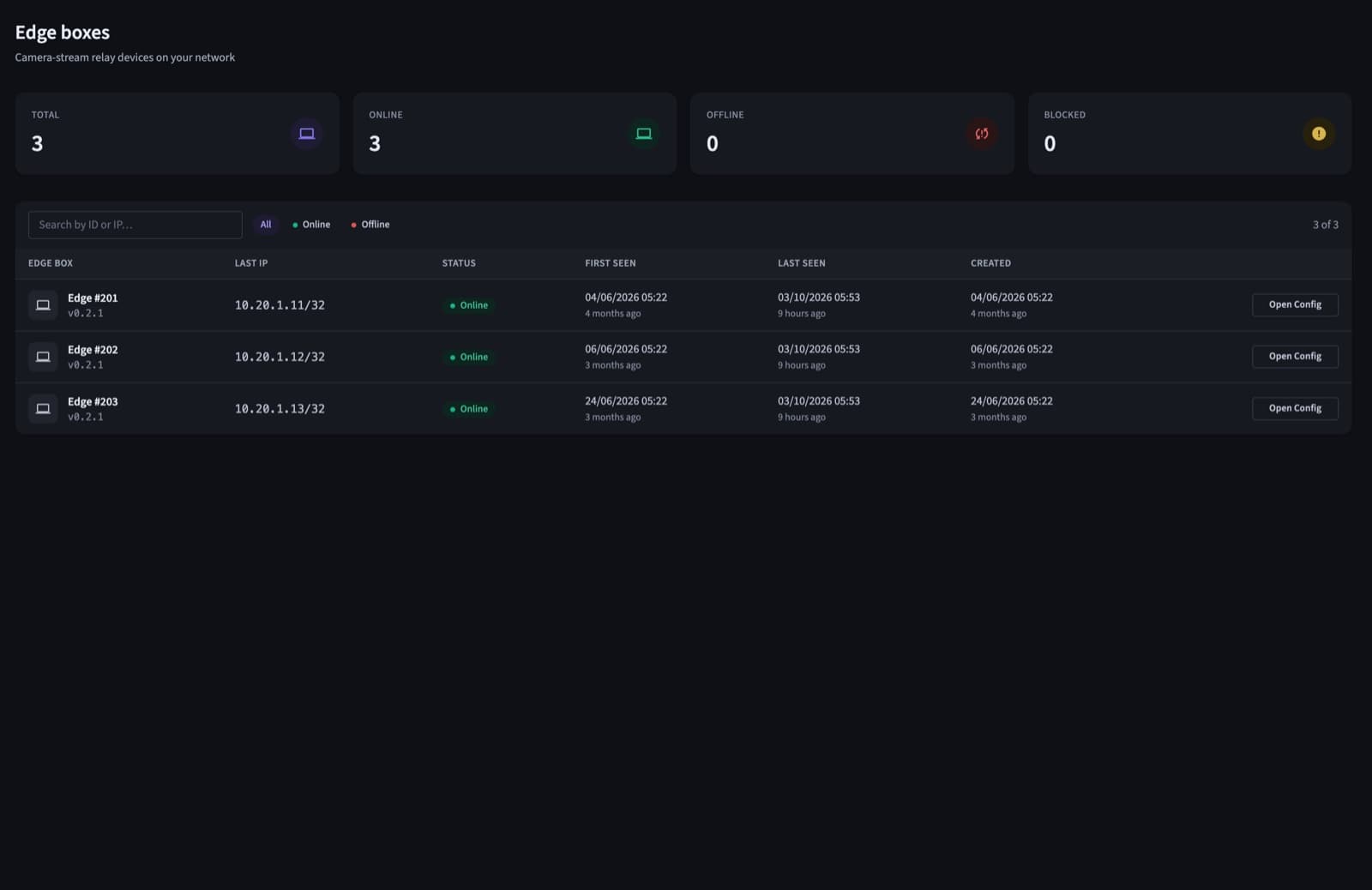
The hub lists every edge box with its status, when it was last seen and its settings, for every site.
No new cameras and no cloud account. Each new site joins the same hub.
We show QVision on footage close to your sites and map the risks you want covered.
An edge box on your network, your existing cameras, the zones and rules that matter.
HSE, security and operations look at the incidents, the alerts and the numbers.
More boxes, more sites, one hub, with the same rules and the same dashboards.
No. Everything runs on your network, and air-gapped sites are supported.
On a QVision server we supply, or on your own server, in your data center or at headquarters. On a single site, one machine runs both the edge and the hub.
Its edge boxes keep detecting and recording from their saved settings. Rules and alerts flow again as soon as the link is back.
It depends on the cameras and the detections they run. We size the boxes for each site during discovery.
No. QVision works with the standard IP cameras most sites already have.
A walkthrough on footage close to your sites, with answers for your operations, security and IT teams.