Quality inspection

Spot defective items before they leave the line.

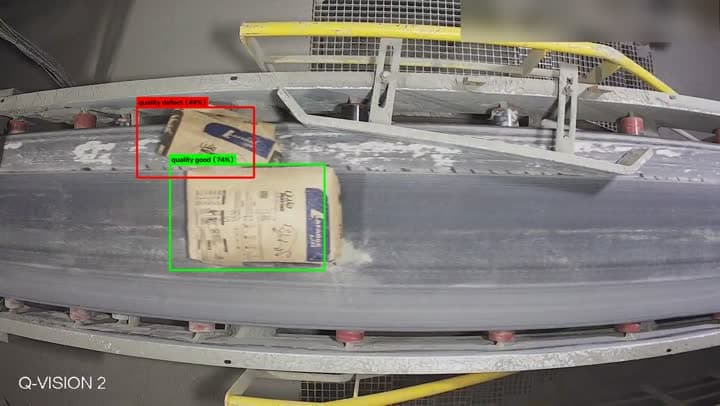
A camera over the conveyor is enough. QVision classes every item as good or defective, follows it along the belt, and can stop the line the moment a bad one goes by.

Quality inspection
LiveLine 2 · Bag conveyor
Quality defectLine 2 · Bag conveyor · 17:59
  • Conveyor stopped for 3 s
  • High incident opened
  • Line supervisor texted
  • Good or defective

    Every item that passes is classed, not just a sample.

  • One item, one alert

    Each item is followed along the belt, so a torn bag raises one alert, not twenty.

  • Stops the line

    A relay on your line control can pause the conveyor the moment a defect is seen.

How it works

  1. 1

    A camera over the line

    One camera above the conveyor, looking at the items as they pass.

  2. 2

    Every item is classed

    Each item is followed along the belt and marked good or defective.

  3. 3

    The line reacts

    A rule pulses the conveyor stop, opens an incident with the picture and texts the line supervisor.

In QVision

In QVision

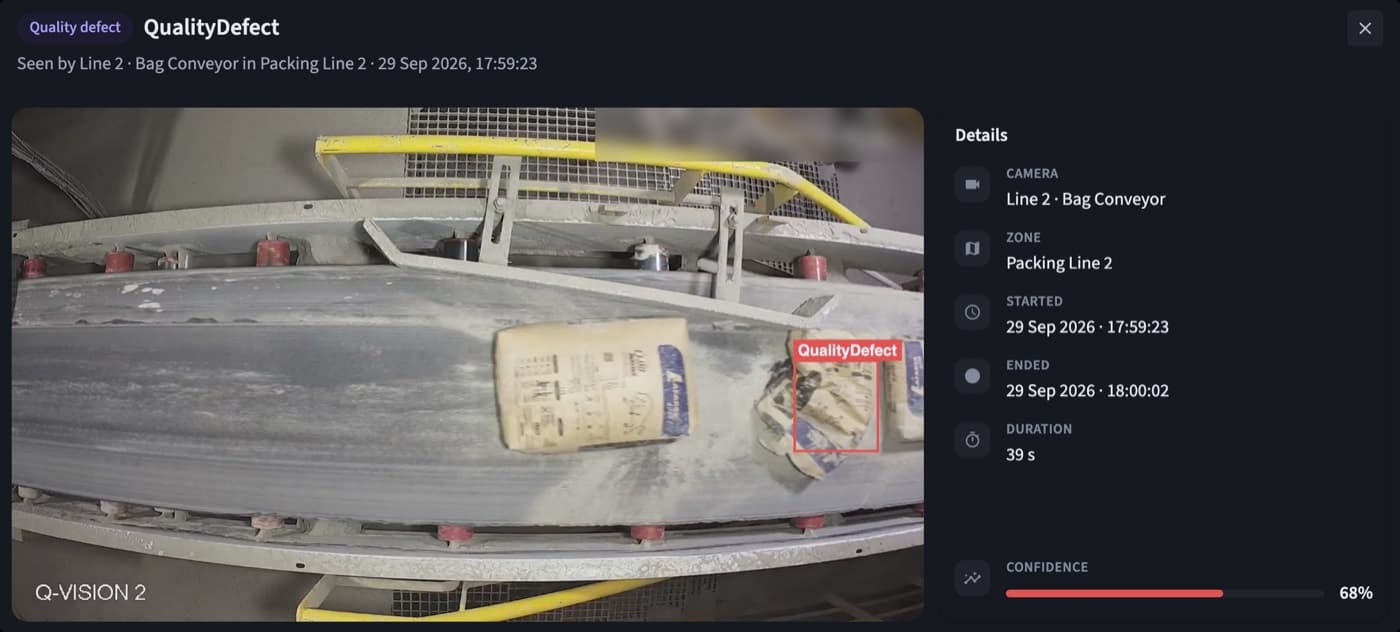
Every defect, with the picture

The item boxed on the frame, the line, the time it was seen and how long it stayed in view.

Quality inspection: Every defect, with the picture

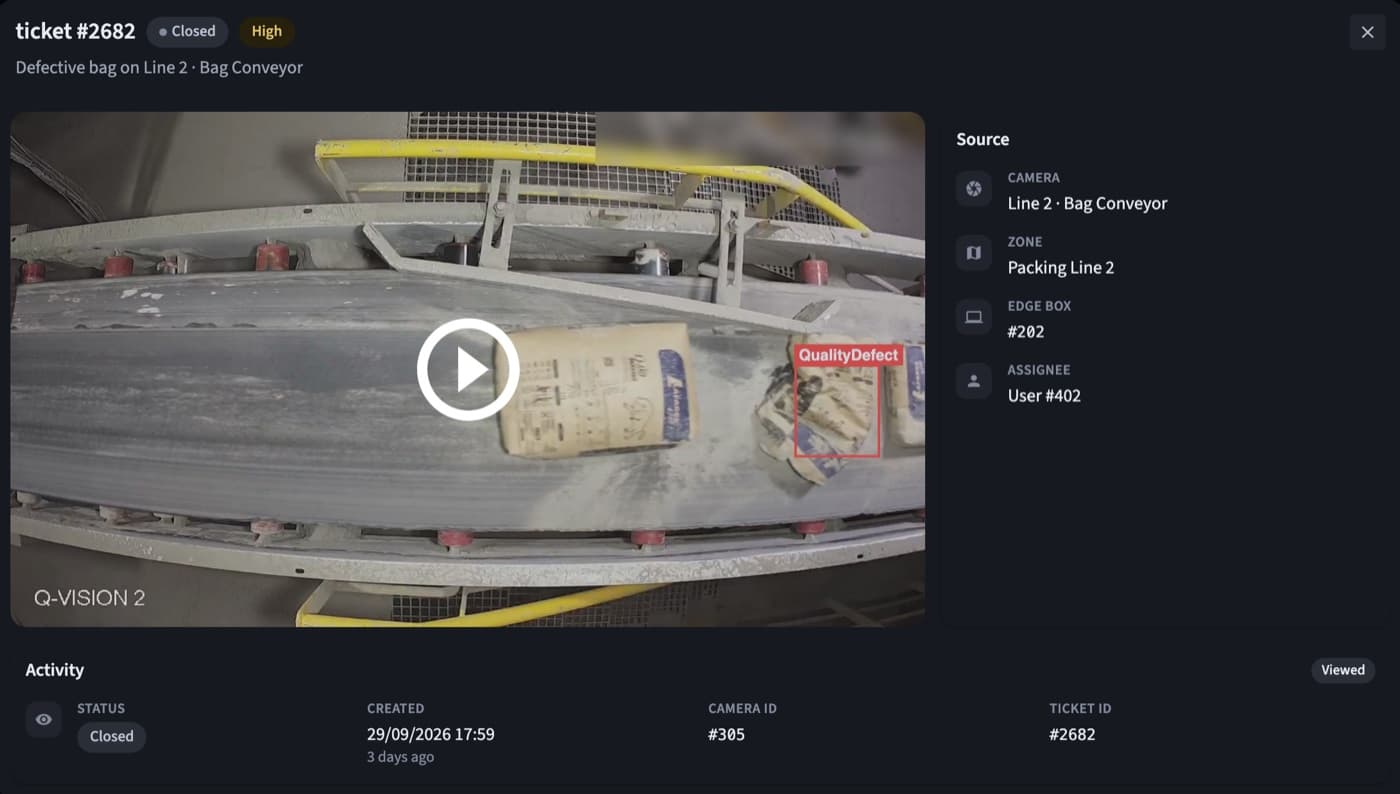
Straight to the right team

The incident opens with the evidence and the priority the rule gave it.

Quality inspection: Straight to the right team

Where teams use it

  • Bagging and packing lines

    Torn, burst or badly filled bags caught before palletizing.

  • Conveyors between processes

    Defects caught early, before they cost more downstream.

  • End-of-line checks

    A last look before goods are loaded and shipped.

  • Shift and line reporting

    Defects by line, shift, weekday and hour for the quality team.

Example rules

Examples written the way QVision writes them. Change any part to fit your site.

Defective bag stops Line 2

Active

When a quality defect is seen on Line 2 · Bag conveyor, pulse the conveyor stop for 3 s, raise a high incident and text the line supervisor.

When
Quality defect
Where
Line 2 · Bag conveyor
Then
  1. Stop the conveyor for 3 s
  2. High incident
  3. Text the line supervisor

Defects to the ERP

Active

When a quality defect is seen on Packing Line 2, send it to the ERP and email the quality manager.

When
Quality defect
Where
Packing Line 2
Then
  1. Send it to the ERP
  2. Email the quality manager
See everything a rule can do

At a glance

Camera
One camera above the line
Result
Good or defective, item by item
Alerts
One per item, with the snapshot
Line control
Pulse, start or stop a relay on your line
Reporting
Defects by line, weekday and hour, exportable to CSV

Questions

Does it work for our products?

QVision's quality model is set up for the items on your line, and we check it on footage from your own line during the pilot.

Can it really stop the line?

Yes. QVision drives relays, so a rule can pause your conveyor for a few seconds, or stop it until someone restarts it.

Will one bad item raise several alerts?

No. Each item is followed as it moves along the belt, so one defective item raises one alert.

Can defects go to our ERP or MES?

Yes. A rule can send each defect to your systems as a webhook, alongside the incident and the text message.

See QVision on a site like yours.

A walkthrough on footage close to your sites, with answers for your operations, security and IT teams.

Book a demo