PPE on the warehouse floor
ActiveWhen someone without a helmet or vest is seen on Warehouse Floor, raise a medium incident and email the HSE manager.
- When
- PPE violation
- Where
- Warehouse Floor
- Then
- Medium incident
- Email the HSE manager
QVision gives HSE teams eyes on every site: protective equipment checked on every worker, danger zones guarded around machines, and every violation recorded with its evidence, so you see where risk keeps coming back.
Helmets and high-visibility vests checked on everyone in the zones where they're required, every shift.
A siren, a beacon or a line stop the moment someone steps too close to a press, a crusher or a robot.
With face recognition on in a zone, a violation comes with the name of the person involved.
Snapshot, recorded clip, zone, time and priority, kept as an incident your team follows up.
The HSE manager by email, the shift supervisor by text, the zone's team in the app.
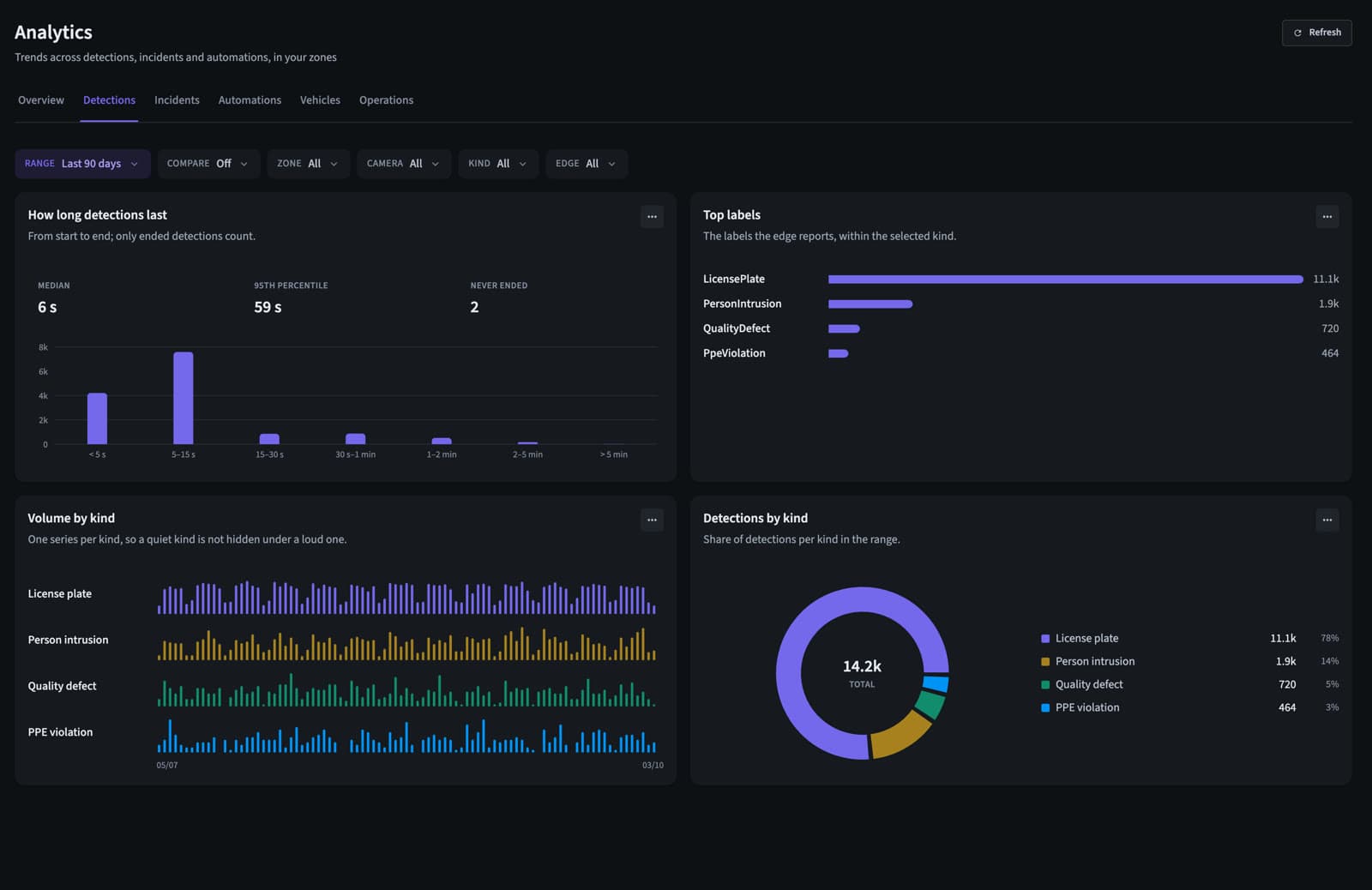
Violations by zone, camera, weekday and hour, compared with the period before, exportable to CSV.
PPE checks begin on the loading dock and the floor, on every worker, without a spot check.
Mounir walks onto the floor without his helmet. A named incident opens and the HSE manager gets an email.
The press stops through its relay, a high incident opens with the clip, and the supervisor gets a text.
Violations by zone and hour, ready for the shift review and the weekly HSE report.
Examples written the way QVision writes them. Change any part to fit your site.
When someone without a helmet or vest is seen on Warehouse Floor, raise a medium incident and email the HSE manager.
When a person enters the Press 3 safety zone while the line runs, stop the press, raise a high incident and email the HSE manager.
Analytics show which zones, cameras and hours produce the most violations, so prevention goes where it matters.
No. It watches continuously between them, and gives your inspectors the evidence and the numbers.
Helmets and high-visibility vests today. Other equipment, such as gloves or harnesses, can be added through a custom model.
Only where face recognition is switched on, zone by zone, and only against the people your admins enrolled. Elsewhere, violations are recorded without a name.
Yes. Analytics show violations by zone, camera, weekday and hour, compared with the previous period, and every chart exports to CSV.
A walkthrough on footage close to your sites, with answers for your operations, security and IT teams.