Person intrusion

Know the moment someone enters a restricted area.

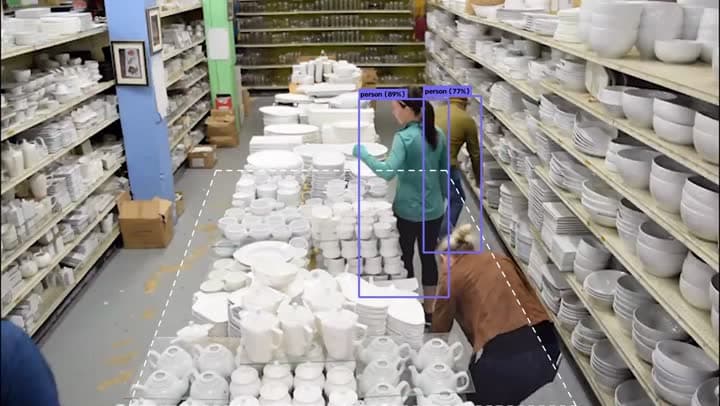
Draw the zone on any camera picture, choose the hours it's off-limits, and QVision watches it around the clock. The second someone steps in, the right people know and the site responds.

Person intrusion
LiveWarehouse · Aisle 4
Person intrusionWarehouse · Aisle 4 · 02:14
  • Siren sounded
  • Incident #2789 opened
  • Night shift texted
  • Any shape, any camera

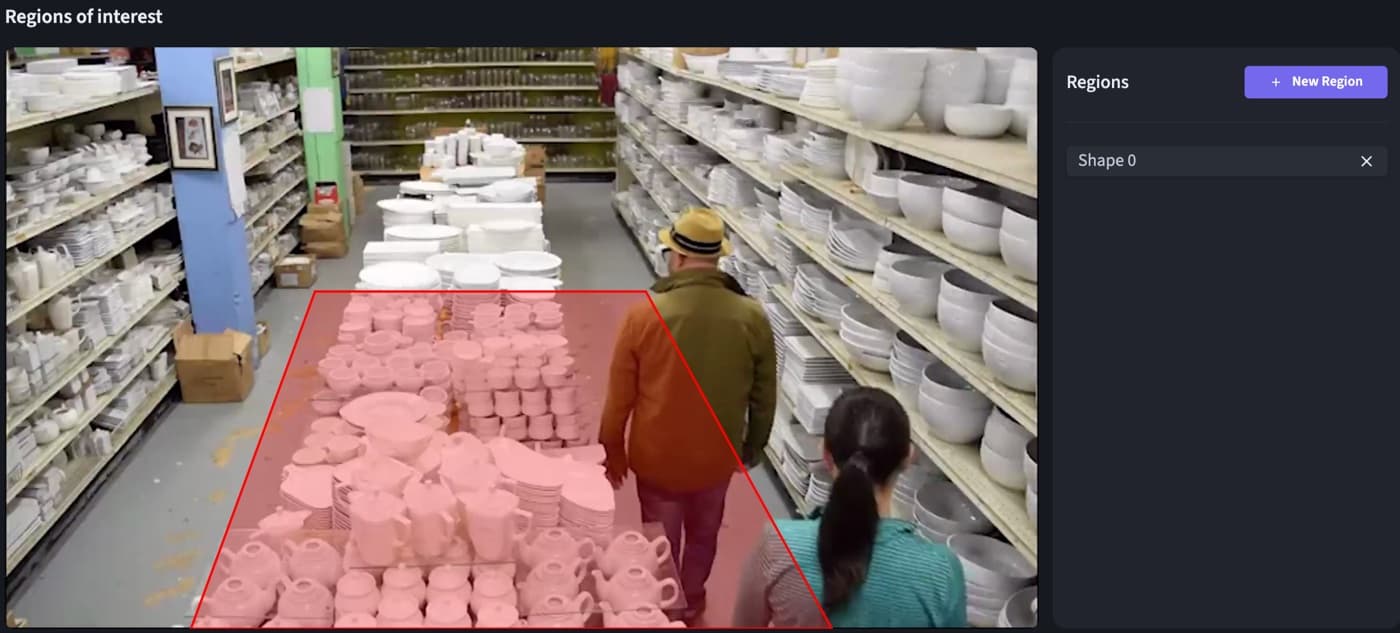
    Zones are drawn on the camera picture, as many per camera as you need.

  • On your schedule

    Restrict an area after hours, on weekends, or all the time.

  • One person, one alert

    Each person is followed, so an entry raises one alert that closes when they leave.

How it works

  1. 1

    Draw the zone

    Outline the restricted area on the camera picture, right in QVision. No markers on site, no new cameras.

  2. 2

    QVision watches

    The edge box on site follows every person in view and notices the moment one crosses into the zone.

  3. 3

    Your site responds

    A rule sounds the siren, opens an incident with the snapshot and the clip, and texts the team on duty.

In QVision

In QVision

Draw it on the picture

Zones are drawn on the camera's own picture, in the camera settings.

Person intrusion: Draw it on the picture

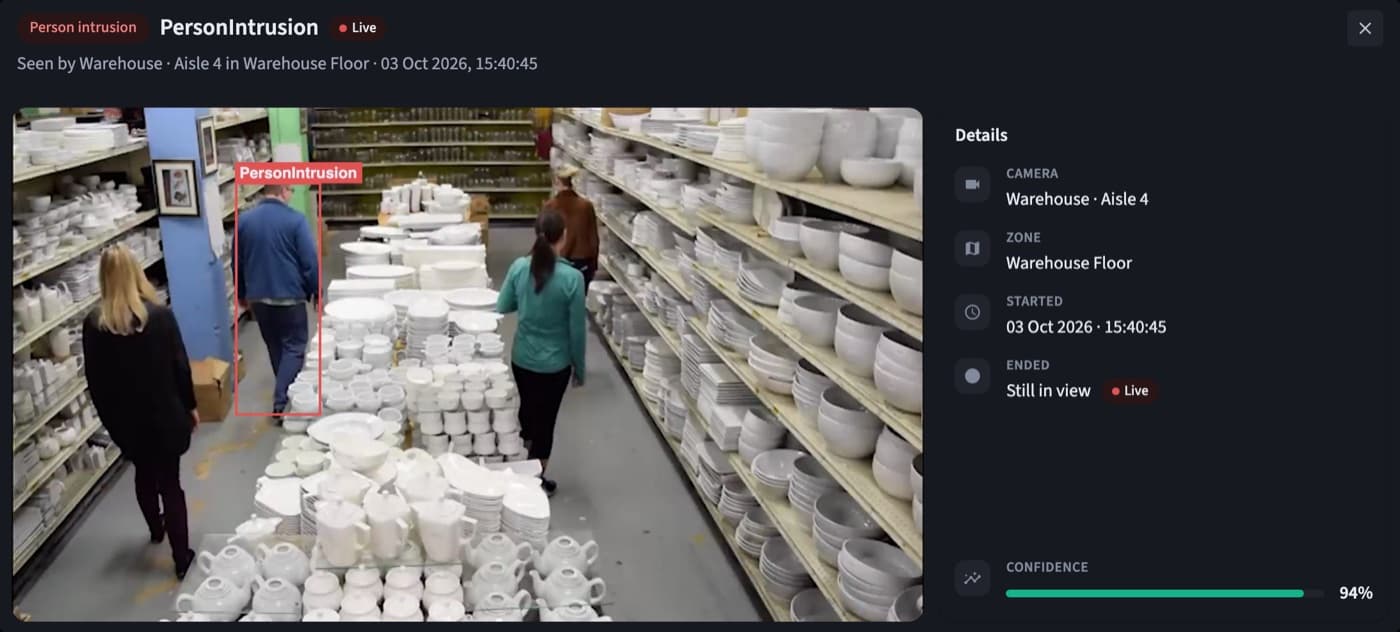
Every entry, with the evidence

Each detection keeps the snapshot with its box, the camera, the zone, when it started and when the person left.

Person intrusion: Every entry, with the evidence

Where teams use it

  • Warehouses after hours

    Aisles, docks and stock rooms that should be empty at night.

  • Machine and process areas

    Danger zones around presses, robots, conveyors and kilns.

  • Perimeters and yards

    Fence lines, storage yards and tank farms on large sites.

  • Server and records rooms

    Rooms only a few people should ever walk into.

Example rules

Examples written the way QVision writes them. Change any part to fit your site.

After-hours intrusion at the dock

Active

When a person enters the Loading Dock between 20:00 and 06:00, sound the siren, raise an emergency incident and text the night shift.

When
Person intrusion
Where
Loading Dock
Only if
Every day, 20:00 to 06:00
Then
  1. Sound the siren for 10 s
  2. Emergency incident
  3. Text the night shift

Danger zone around Press 3

Active

When a person enters the Press 3 safety zone while the line runs, stop the press, raise a high incident and email the HSE manager.

When
Person intrusion
Where
Press 3 · safety zone
Only if
Weekdays, 06:00 to 22:00
Then
  1. Stop the press
  2. High incident
  3. Email the HSE manager
See everything a rule can do

At a glance

Works with
The IP cameras you already have
Zones
Any shape, several per camera
Schedules
Days and hours, overnight included
Evidence
Snapshot with the detection box, and the recorded clip
Responses
Sirens, barriers, incidents, SMS, email and webhooks

Questions

Does it work at night?

It works on whatever your cameras can see. Cameras with infrared or good lighting give the best results at night.

Will vehicles or moving machines set it off?

No. QVision looks for people, not motion, so trucks, forklifts, swinging doors and changing light don't open an intrusion alert.

Can one camera watch several zones?

Yes. Draw as many zones as you need on one camera, each with its own hours and its own rules.

What happens when the person leaves?

The alert closes on its own, and the detection keeps when it started, when it ended and how long it lasted.

See QVision on a site like yours.

A walkthrough on footage close to your sites, with answers for your operations, security and IT teams.

Book a demo