PPE on the warehouse floor
ActiveWhen someone without a helmet or vest is seen on Warehouse Floor, raise a medium incident and email the HSE manager.
- When
- PPE violation
- Where
- Warehouse Floor
- Then
- Medium incident
- Email the HSE manager
QVision checks every person in the zones you choose for a helmet and a safety vest. When one is missing, HSE gets an incident with the picture, and the numbers show where it keeps happening.
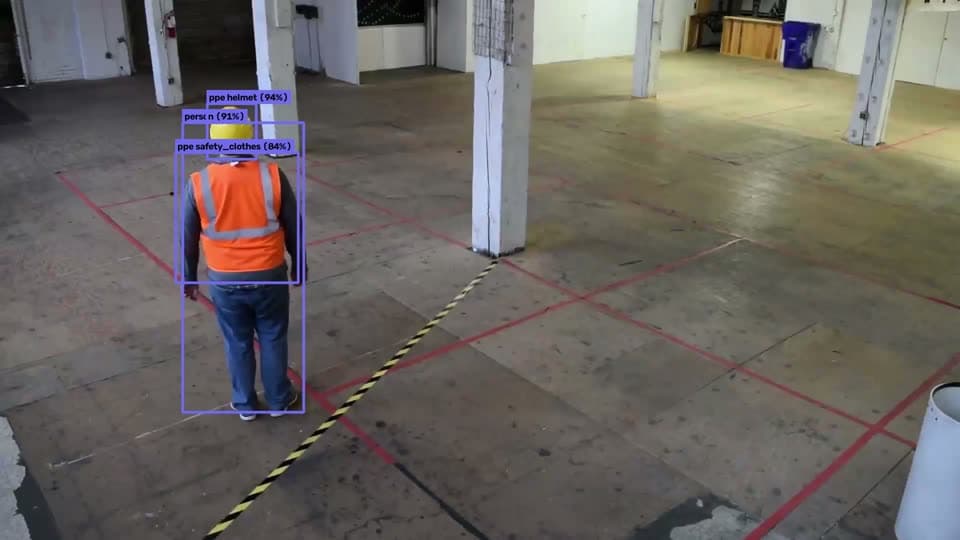
Both are checked on each person in view, in the zones where they're required.
A violation is raised only once it holds over several frames, so a turned head doesn't count.
Violations by zone, camera, weekday and hour, compared with the period before.
Pick the cameras and draw the zones: the shop floor, the loading dock, the process area.
Each person is followed and checked for a helmet and a safety vest while they're in the zone.
A rule opens an incident with the snapshot and emails the HSE manager. With faces on, it comes with a name.
Each one with the camera, the zone, the priority and how long it lasted, ready for the HSE team to follow up.
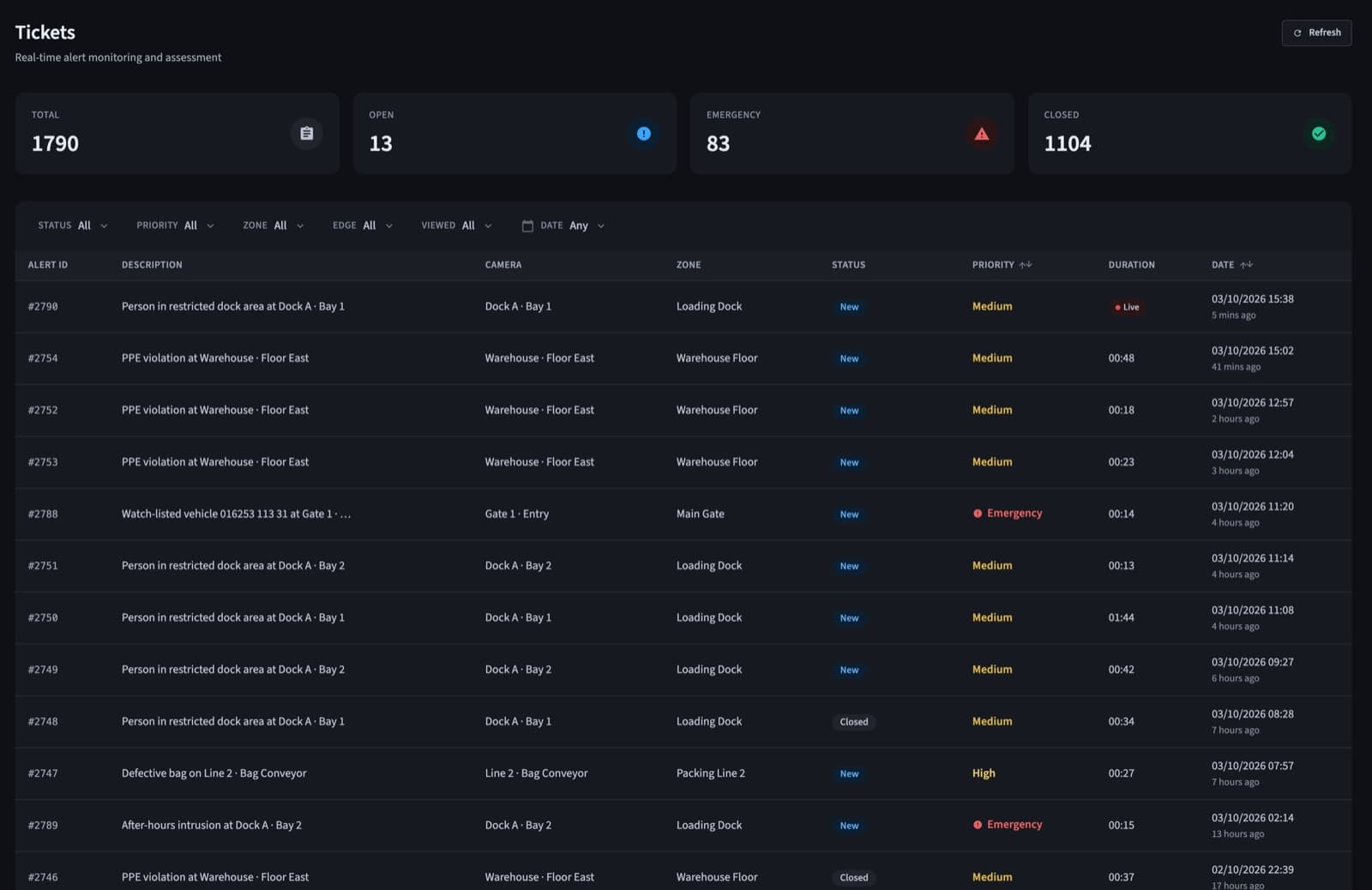
Everyone on the floor, every shift, without a spot check.
Where forklifts, trucks and people share the same space.
Contractors on site for a few days, held to the same rules.
Zones where a helmet is required at all times.
Examples written the way QVision writes them. Change any part to fit your site.
When someone without a helmet or vest is seen on Warehouse Floor, raise a medium incident and email the HSE manager.
When someone without PPE is seen at the Loading Dock during the day shift, open an incident with their name and text the shift supervisor.
Helmets and high-visibility safety vests, on every person in the zones where you require them.
Yes, when face recognition is on for that zone. The incident then carries the person's name, matched on site against the people your admins enrolled.
No. A violation has to hold over several frames before it's raised, and each rule can wait between alerts for the same camera.
Yes. Analytics show violations by zone, camera, weekday and hour, compared with the previous period, and every chart exports to CSV.
A walkthrough on footage close to your sites, with answers for your operations, security and IT teams.