One place to run every site.
Cameras, incidents, recordings, analytics and access for every site, in one web app your operators, HSE and security teams open every morning.
Platform
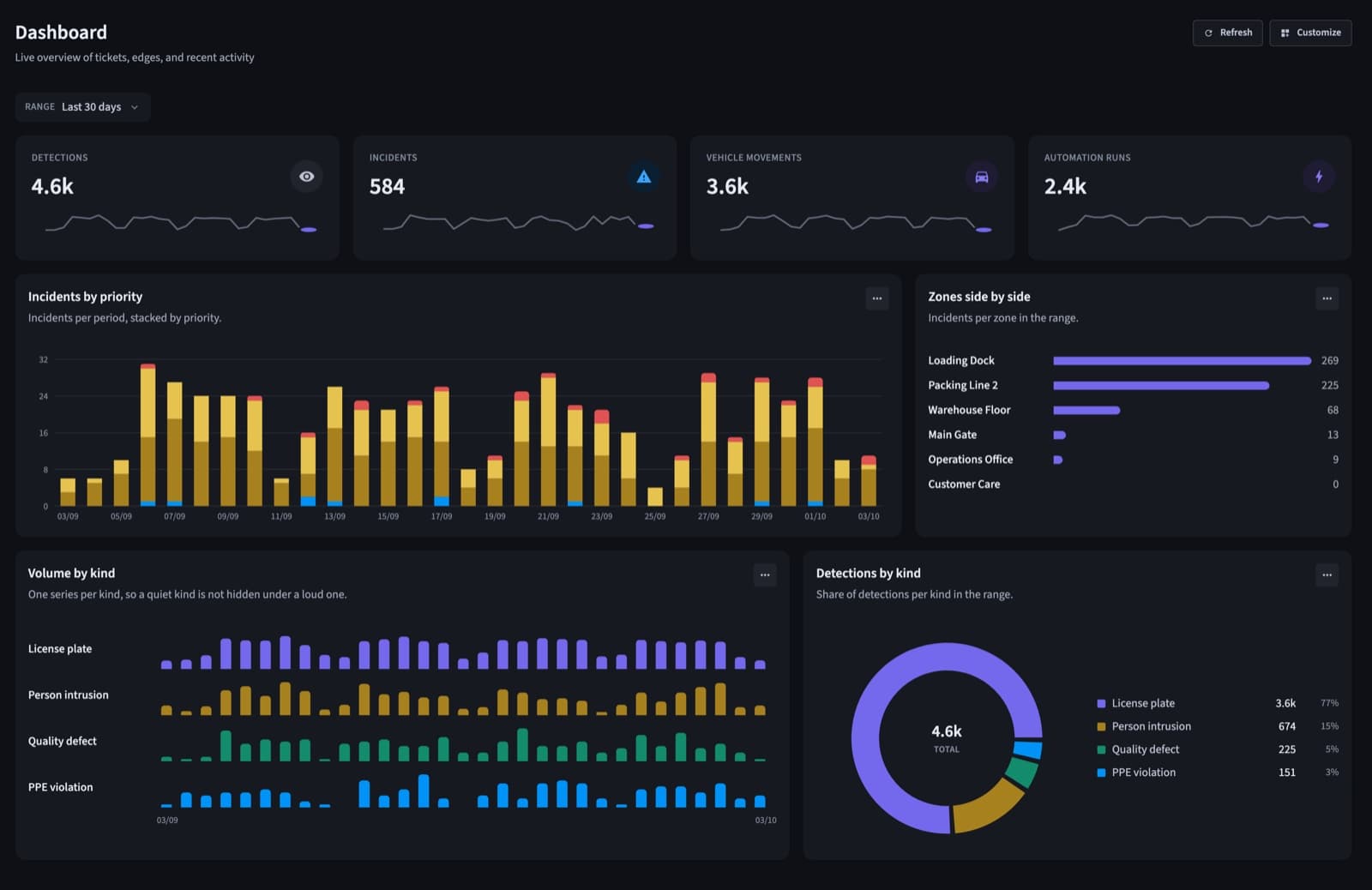
Incidents arrive with the evidence.
The snapshot with its detection box, the recorded clip, the camera and the zone, sent live to the people responsible for that zone.
- Low, medium, high and emergency priorities
- Assign, add notes, follow the activity
- Confirm it, mark a false alarm, or close it
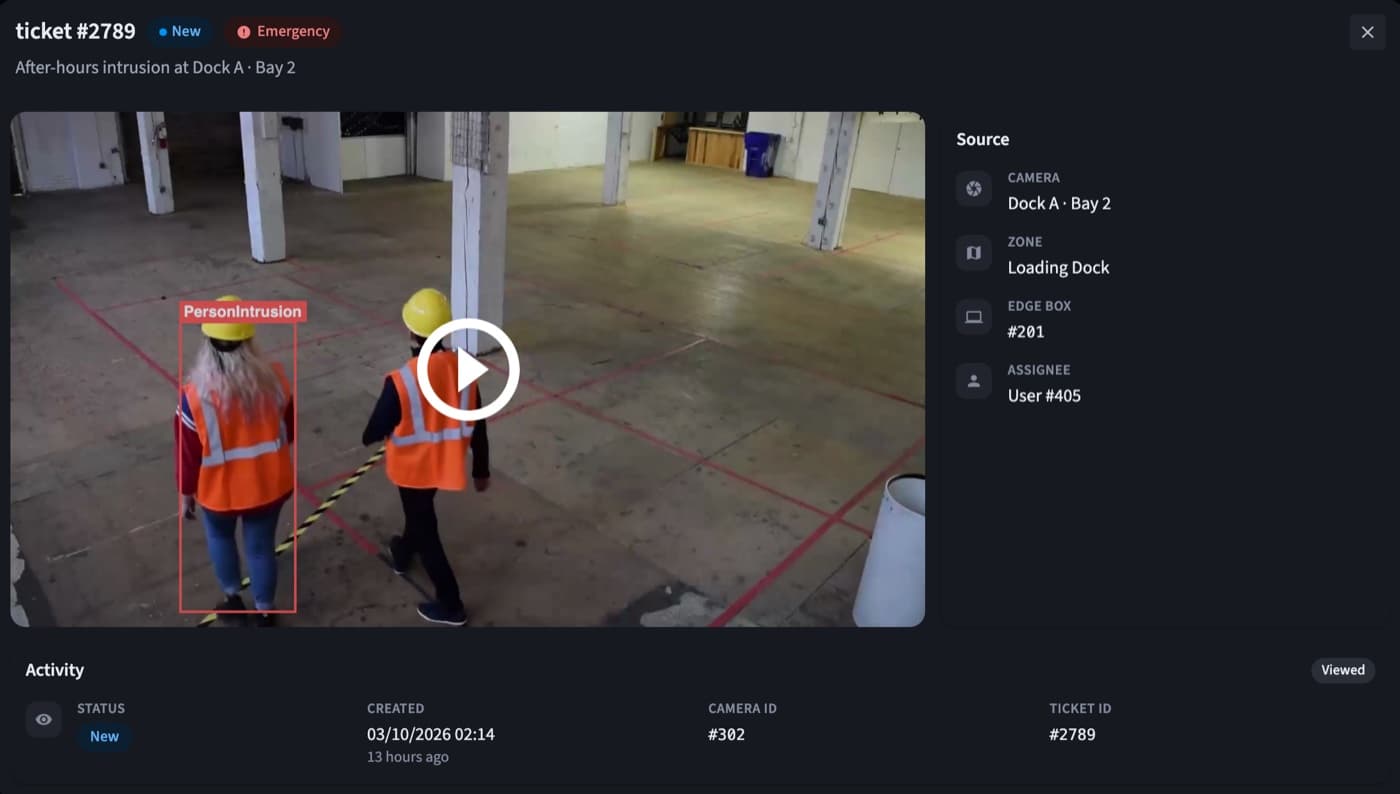
A live wall for every control room.
Every camera on site in one place, with detections and zones drawn right on the video.
- Layouts from 1 to 36 cameras
- Focus layouts for the cameras that matter
- Each camera's live status at a glance
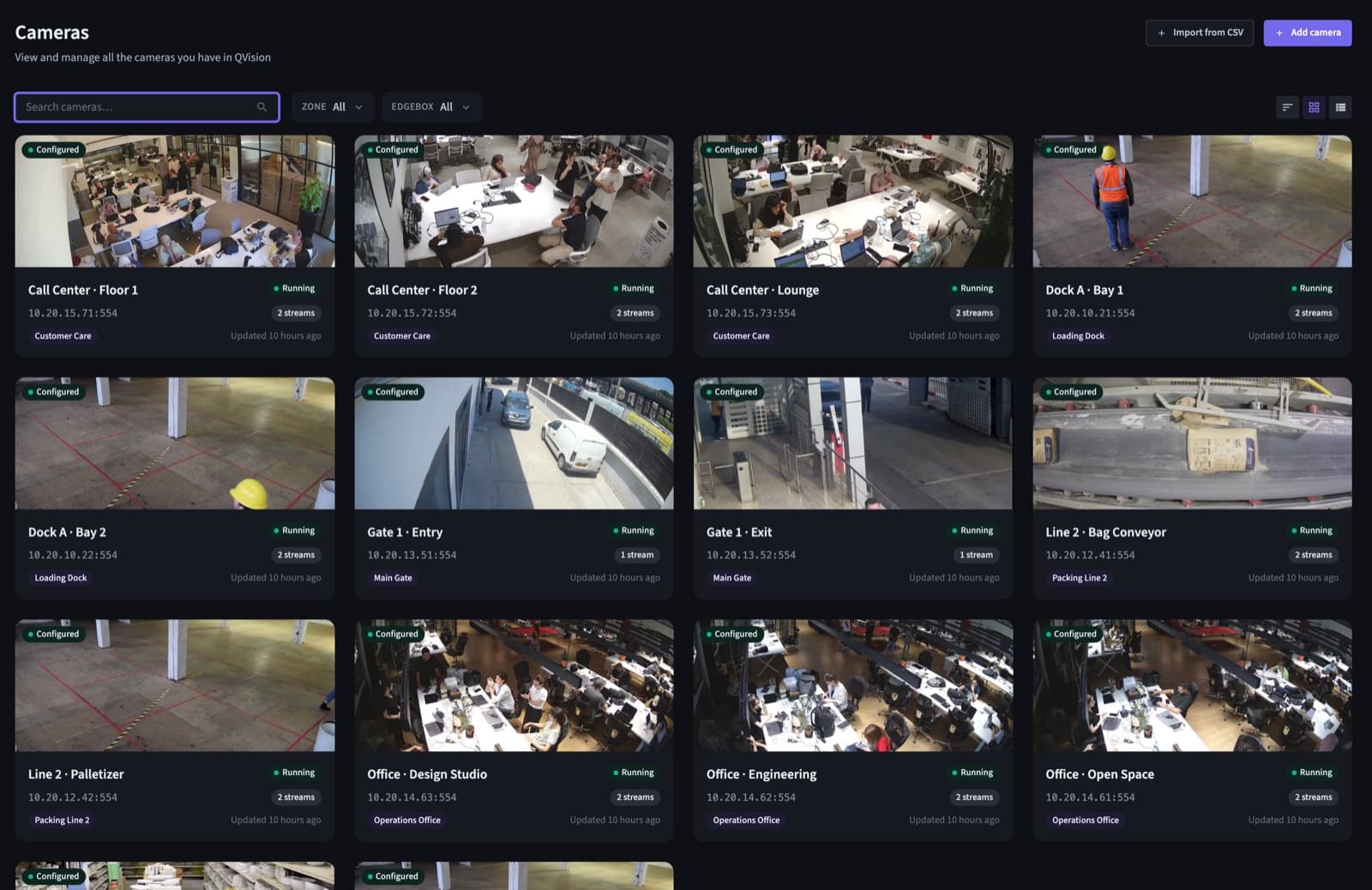
A dashboard each person arranges.
Drag, resize, add and remove widgets. The HSE manager, the security lead and the plant manager each keep their own layout.
- Detections, incidents, vehicles and rule runs
- Saved per person
- Ranges from today to the last 90 days
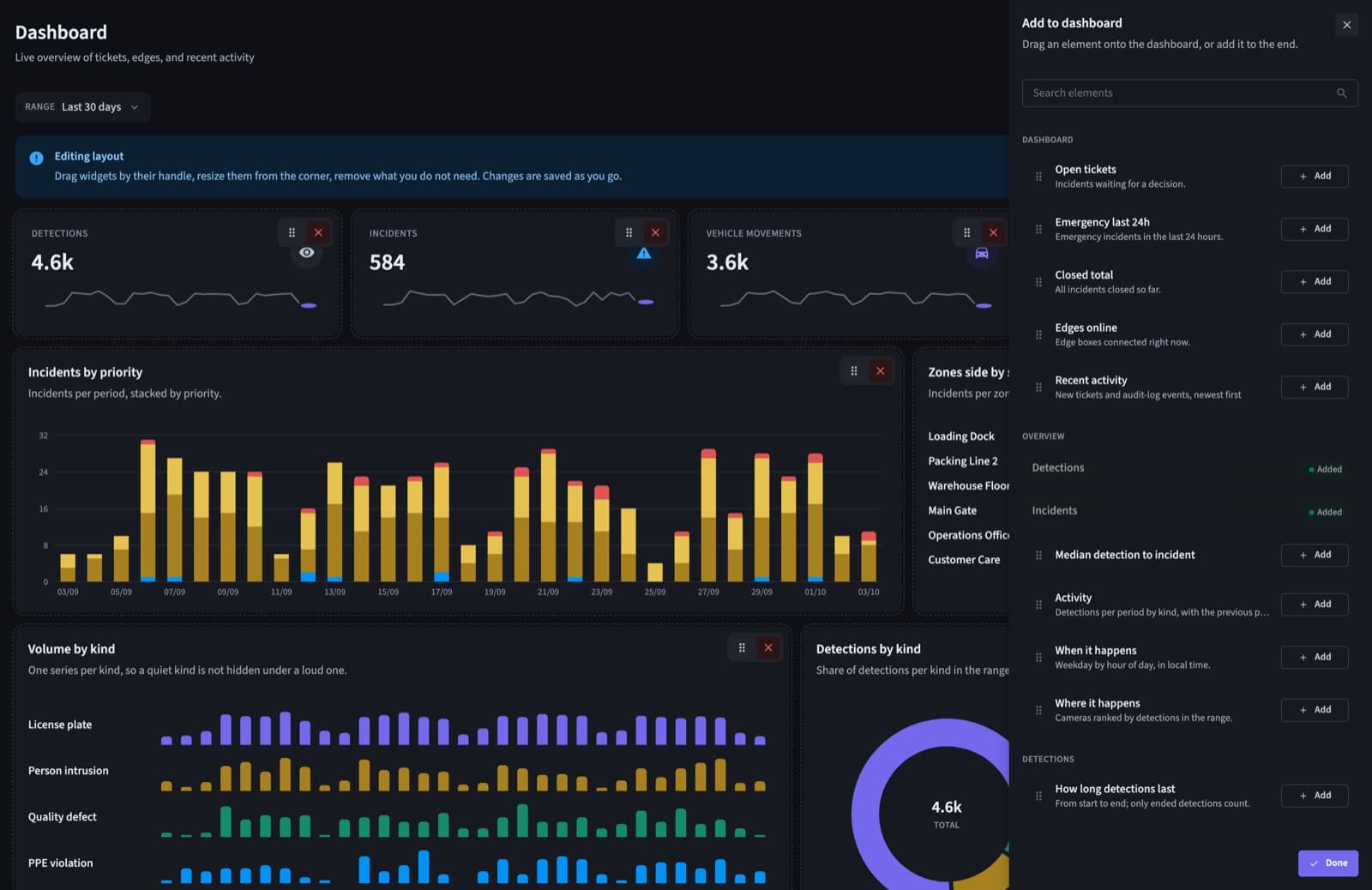
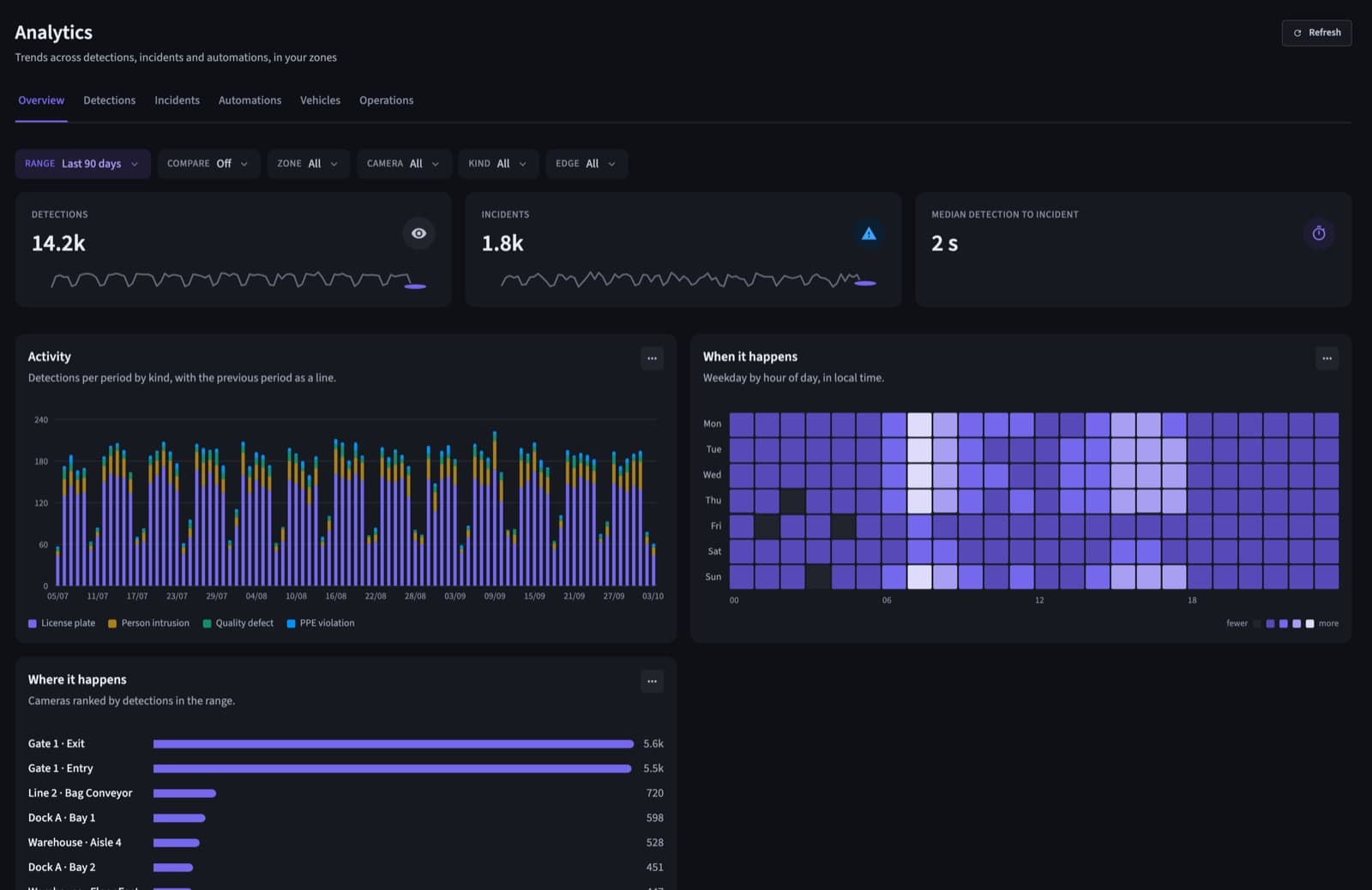
Analytics that answer the questions.
What happens, where and when: by zone, camera, weekday and hour, compared with the period before.
- Overview, detections, incidents and vehicles
- Comparison with the previous period
- Every chart exports to CSV
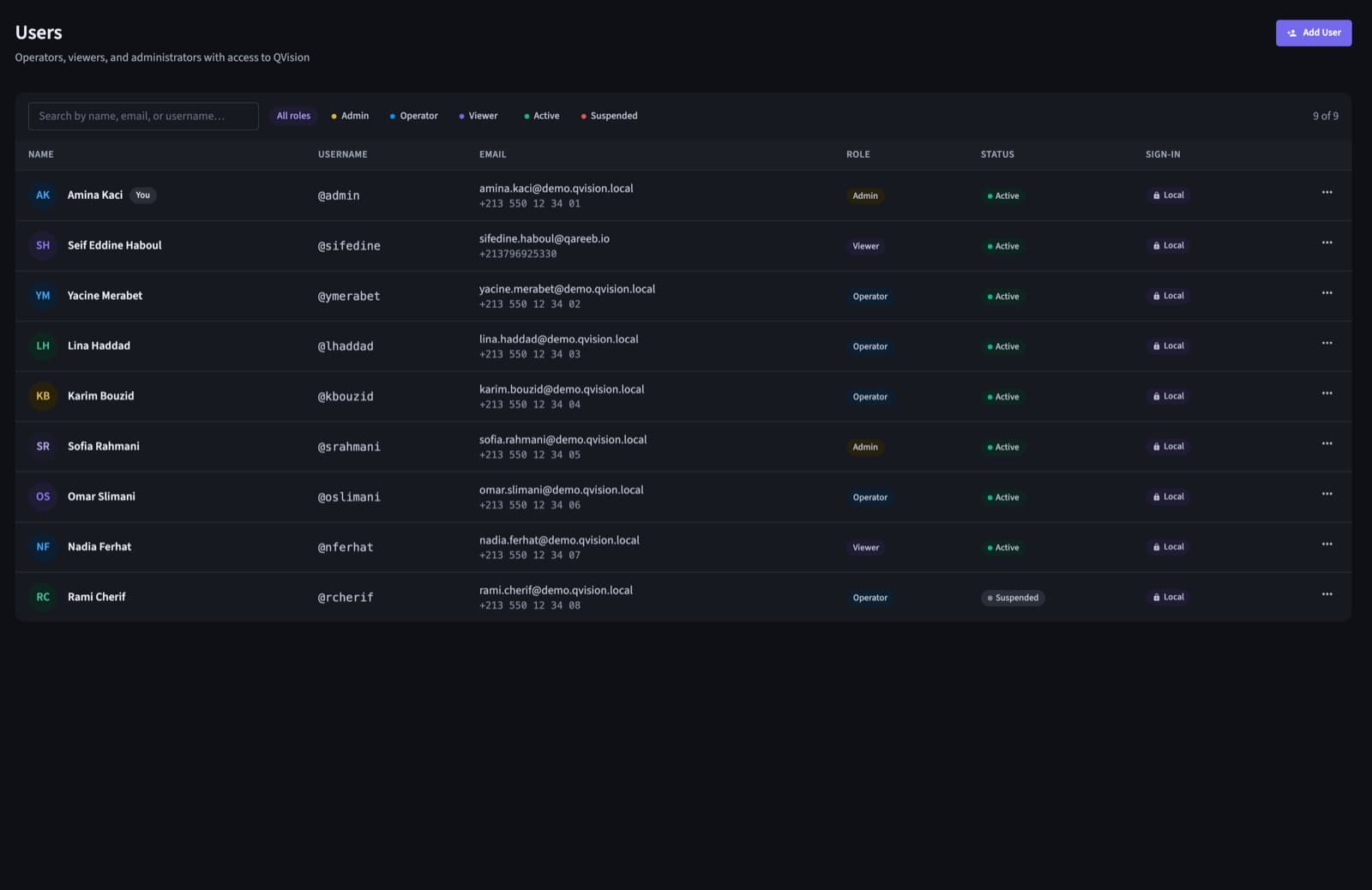
Access that follows your organisation.
Zones group cameras and people. Operators see and act on their own zones; admins see the whole fleet.
- Admin, operator and viewer roles
- Single sign-on with your identity provider
- Every change in the audit trail
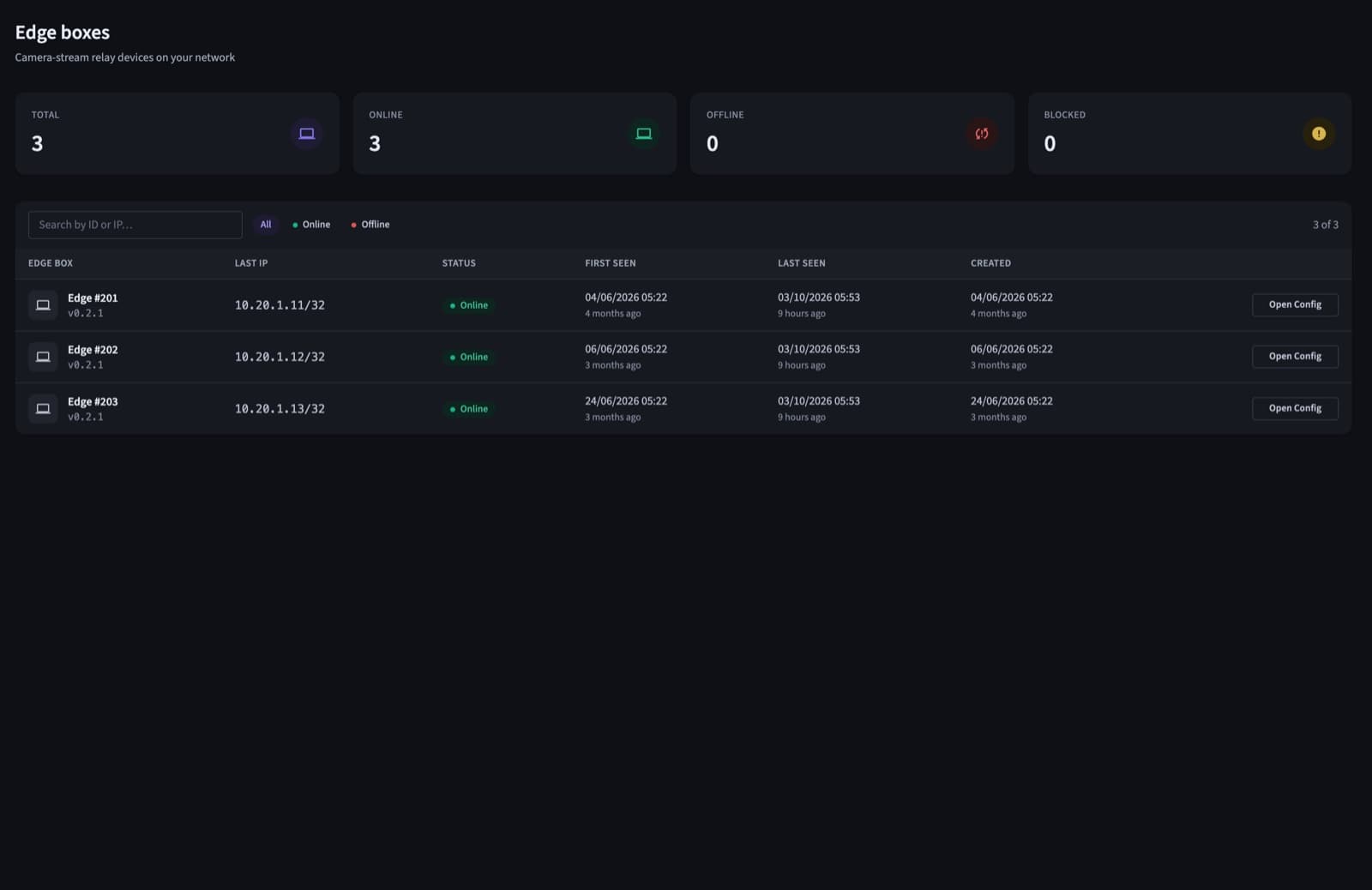
Every site and every box at a glance.
Edge boxes, cameras and sites with their live status, all managed from one hub.
- Online and offline status for every box
- Cameras and zones per site
- New sites join the same hub
What IT asks for before a rollout.
Single sign-on
SAML with your identity provider, so access follows company accounts.
Full audit trail
Who changed which camera, zone, rule or user, and when.
Evidence export
Any time range to MP4, several cameras in one file.
Zone permissions
Everything follows zones, analytics included.
Your servers
The platform runs on your hub, never in a vendor cloud.
Live notifications
New incidents pop up for the zone's team, right in the app.
Questions
Is it a web app, or software to install on each PC?
A web app. Operators open it in their browser, and nothing is installed on their computers.
Can each team see only its own sites?
Yes. Zones group cameras and users, and everything in QVision, analytics included, follows them.
Does it work with our single sign-on?
Yes, over SAML, so access follows your company accounts. Local accounts are there for sites that need them.
Can we export footage for an investigation?
Yes. Pick a time range on one or several cameras and export it to MP4.
See QVision on a site like yours.
A walkthrough on footage close to your sites, with answers for your operations, security and IT teams.